35%
Solo ADIs Using Free Tools
Start with spreadsheets or free plans
Searching for free driving school software? This honest guide covers what's genuinely free, what has hidden costs, and when it makes sense to pay for better tools.
Start with spreadsheets or free plans
When hitting limitations or growth
Monthly pricing for driving school software
Every £1 spent saves £8 in time/no-shows
Weekly admin time vs paid automation
ADIs who see value during trial period
When you're starting out as a driving instructor, every penny counts. The idea of free driving school software is appealing—but what do you actually get for nothing? And more importantly, what are you giving up?
This guide cuts through the marketing speak to give you an honest look at free driving school software options, their limitations, and when it makes sense to invest in paid tools instead.
Some software providers offer a permanently free tier with basic features. These plans typically include:
Best for: Brand new instructors testing the waters, or those with very few regular students.
Most professional driving school software offers free trials, typically 14-30 days with full feature access:
Best for: Serious instructors ready to commit who want to test drive the full system first.
Free to use but requires technical knowledge to set up and maintain:
Best for: Technically minded instructors or those with IT support available.
| Feature | Free Plans | Free Trials | Paid Plans |
|---|---|---|---|
| Student Limit | 5-10 | Unlimited | Unlimited |
| Online Booking | ✗ | Coming Soon | Coming Soon |
| Invoicing & Payment Recording | ✗ | ✓ | ✓ |
| SMS Reminders | ✗ | ✓ | ✓ |
| DVSA Competency Tracking | Basic | Full (62+ skills) | Full (62+ skills) |
| Student Portal (View & Track) | ✗ | ✓ | ✓ |
| Reporting | ✗ | ✓ | ✓ |
| Support | Email only | Full | Priority |
Free software has hidden costs that aren't immediately obvious. Here's what you're actually trading when you choose free over paid:
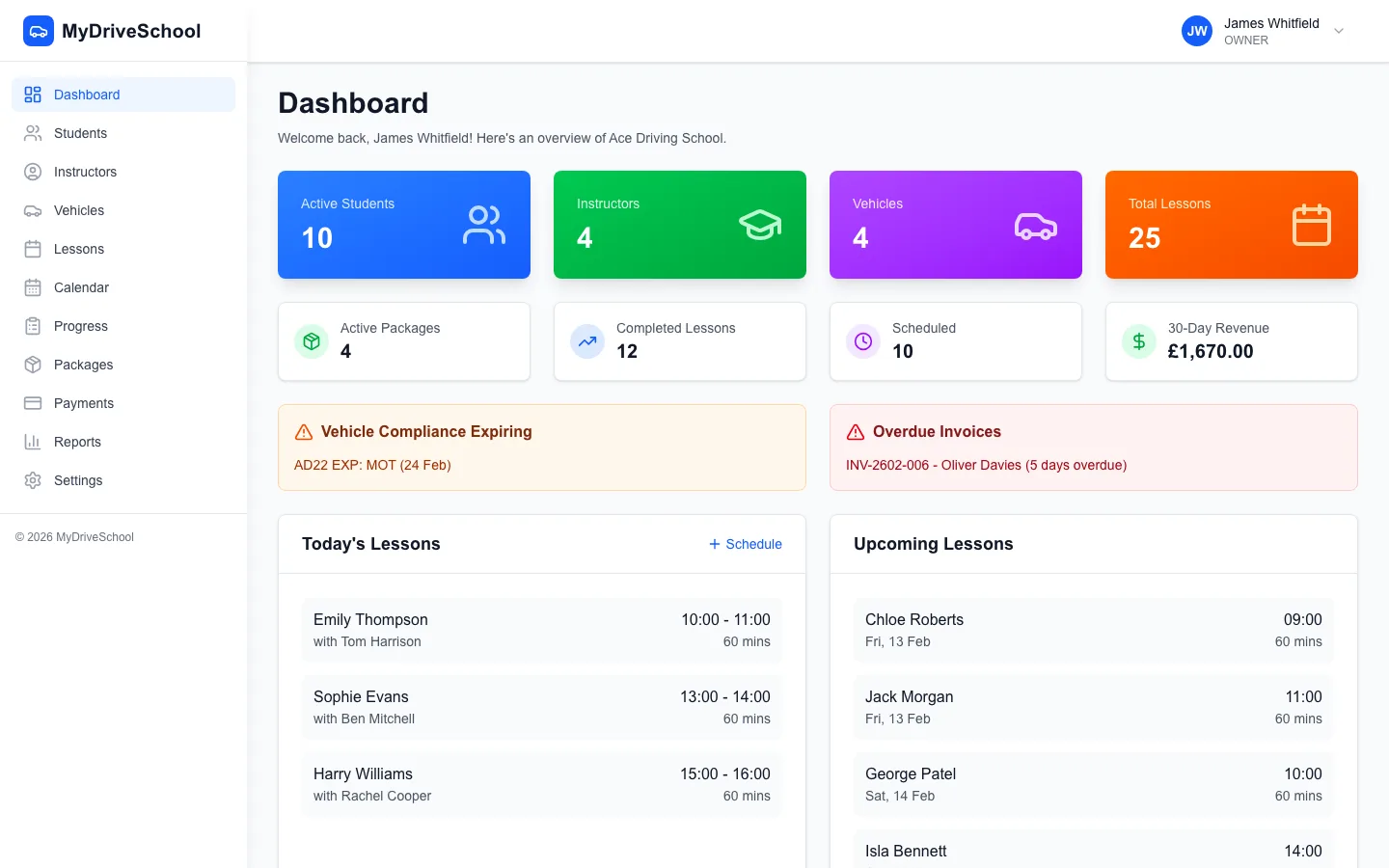
What paid driving school software looks like: the MyDriveSchool dashboard
If your hourly rate is £35 and free software costs you 5 extra hours of admin per week, that's £175/week or £700/month in lost teaching time. Most paid software costs £30-50/month.
The maths rarely favours free software once you have more than a handful of students.
Most free plans cap active students at 5-10. Once you exceed this, you'll need to delete old students to add new ones—losing valuable lesson history and progress records.
Free tools lack drag-and-drop calendars, conflict detection, and recurring lesson series. This means more time managing your diary and a higher risk of double-bookings and scheduling errors.
You'll need to send your own text or email reminders before lessons. Miss one, and you risk a no-show—costing you an hour of income plus wasted travel time.
Free plan users typically get email-only support with slow response times. If something breaks on a busy Monday morning, you're on your own until someone gets around to your ticket.
Free tools can't generate invoices, track payment status, or manage lesson packages. You're left chasing payments manually and losing track of who owes what.
Many free plans include the software provider's branding on student-facing pages, or may show ads. This can undermine your professional image.
Free software makes sense when you're just starting out. But there are clear signals that it's time to invest in proper tools:
Once you hit this threshold, the admin time saved by proper software easily covers the cost.
One prevented no-show per month typically covers a month's software subscription.
If you're spending evenings coordinating lessons instead of relaxing, automation is worth the investment.
Modern students expect to book online. If they're asking, they might go elsewhere if you can't provide it.
Scaling a driving school on free tools is nearly impossible. Paid software provides the infrastructure for growth.
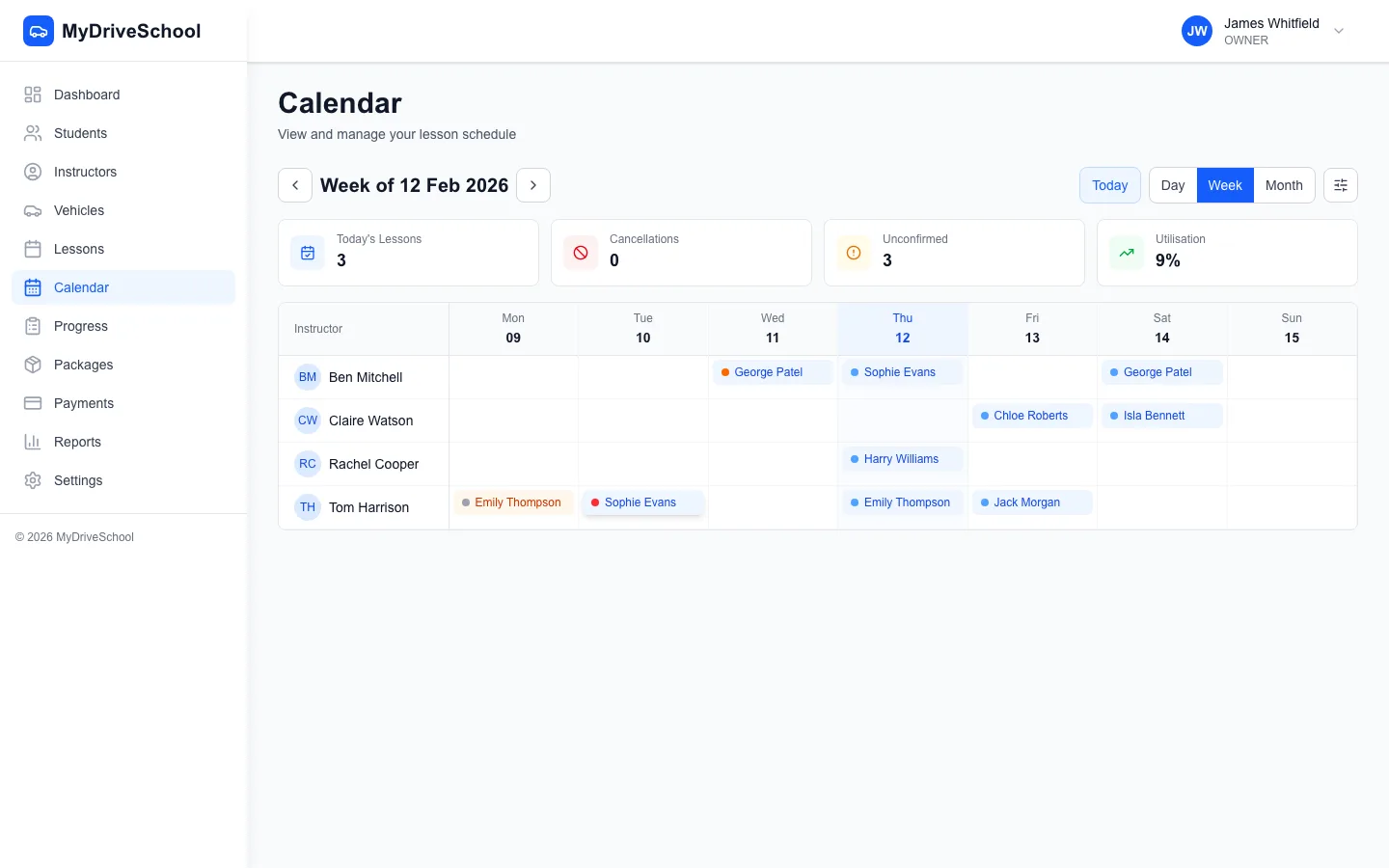
Professional scheduling that free tools can't match: drag-and-drop calendars with conflict detection
Whether you start with free or go straight to paid, here's what to evaluate:
Some instructors piece together free tools instead of using dedicated driving school software. Here's an honest look at this approach:
Free, but students can't book themselves. No reminders, no progress tracking, no payments.
Basic online booking with Calendly free plan, student notes in Notion. Limited to 1 event type on free Calendly.
Free plan includes online booking and payments. Not designed for driving schools, so no progress tracking or lesson-specific features.
These workarounds can function for a few students, but they don't scale. You'll spend more time maintaining the system than a dedicated solution would cost.
Before investing in software, understand your potential earnings and costs. Our free calculator shows your effective hourly rate, break-even utilization, and profit projections with UK industry benchmarks.
Calculate Your Revenue & Earnings| Paid Software | Free Plans | Spreadsheets/DIY | |
|---|---|---|---|
| Drag-and-Drop Scheduling | ✓ | ✗ | ✗ |
| Automated SMS Reminders | ✓ | ✗ | ✗ |
| Unlimited Students | ✓ | ✗ | ✗ |
| Invoicing & Payment Recording | ✓ | ✗ | ✗ |
| DVSA Competency Tracking | ✓ | ✗ | ✗ |
| Responsive Web App | ✓ | ✗ | ✗ |
| Customer Support | ✓ | ✗ | ✗ |
| GDPR Compliance | ✓ | ✓ | ✗ |
| Data Backup | ✓ | ✗ | ✗ |
| No Usage Limits | ✓ | ✗ | ✗ |
Yes, some providers offer genuinely free plans with basic features. However, most free options have severe limitations: 5-10 student limit, no online booking, no SMS reminders, no payment processing. 78% of ADIs using free tools upgrade within 6 months when hitting limitations. Free trials (14-30 days full access) are better for testing before committing.
Free plans usually include basic scheduling (5-10 students max), simple calendar views, manual reminders, and limited storage. Premium features excluded from free plans: drag-and-drop scheduling, automated SMS reminders, invoicing, DVSA competency tracking, multi-instructor support, student portal access, and customer support. These limitations make free plans impractical beyond hobby-level use.
For a solo instructor with under 10 students, free software might suffice initially. However, limitations quickly appear: no drag-and-drop scheduling means clunky diary management, manual reminders lead to no-shows, student limit blocks growth, no invoicing requires separate tools. Most successful instructors find paid software (£29/month) pays for itself through time savings and reduced no-shows.
Free trials give full access to all features for 14-30 days, then require payment or lose access. Free plans offer permanent access to extremely limited features (5-10 students, basic calendar, no automation). Free trials are better for testing—you experience the full platform before committing. 68% of trial users convert to paid after seeing the value.
Security varies dramatically. Free software from established companies (offering paid plans too) typically maintains good security standards. Free-only tools often lack proper data encryption, GDPR compliance, regular backups, or security audits. Storing student personal data (names, addresses, licence details) in insecure systems creates liability. Always verify security credentials before storing student data.
With reputable software providers, yes. Your student records, lesson history, and settings transfer seamlessly when upgrading. This is why choosing free plans from established companies (who offer paid tiers) is safer than obscure free-only tools. MyDriveSchool's 14-day trial lets you test with real data before committing.
Hidden costs include: 6+ hours weekly on manual admin (scheduling calls, manual reminders, spreadsheet updates), 15-25% no-show rate without automated reminders (£3,000+ annual lost revenue for 500 lessons/month), double-bookings and scheduling errors without conflict detection, and opportunity cost of capped student limits blocking growth.
Paid plans range from £29/month (solo ADI, unlimited students, full features) to £79/month (multi-instructor schools). Compared to hidden costs of free tools (6+ hours weekly at £20/hour = £480/month in time, plus no-show losses), paid software delivers 8:1 ROI. Most ADIs recoup costs within first month.
Spreadsheets work for tracking but fail at automation. They can't send automated reminders (causing no-shows), don't offer conflict detection (risk of double-bookings), have no student portal (more phone calls), and become unmanageable beyond 15-20 students. Spreadsheets are 'free' but cost 6+ hours weekly in manual work.
There isn't one that works at scale. Best approach: Use MyDriveSchool's 14-day free trial (full features, no credit card) to test with real students. This beats limited 'free forever' plans that block growth. If cost is a barrier, the Solo Plan (£29/month for unlimited students, DVSA tracking, automated reminders) pays for itself through time savings and reduced no-shows.
Not ready to commit? Our 14-day free trial gives you full access to every feature. See for yourself why hundreds of instructors have made the switch.
We use cookies to improve your experience and analyze site traffic. Learn more